
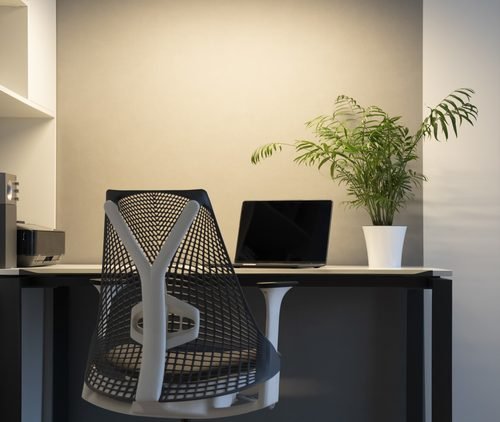
Electrical Wiring for Home Offices in Maryland: Creating a Safer, More Productive Workspace
Working from home has become a permanent part of everyday life for many Maryland homeowners. Whether you operate a business from your house, work remotely, or simply need a dedicated space for computers and electronics, having the right electrical setup is essential.
A home office often contains more electrical equipment than homeowners realize. Computers, monitors, printers, networking devices, chargers, lighting, and other electronics can place additional demand on circuits that may not have been designed for a modern workspace.
At Cook Electric, we’ve provided professional electrical services throughout Maryland since 1988. Here’s how proper home office electrical wiring can improve safety, convenience, and productivity.
Why Your Home Office Needs Proper Electrical Planning
Many homeowners create a home office by converting a spare bedroom, basement, or unused living space.
While these rooms may already have electrical outlets, the existing layout might not be ideal for multiple computers, monitors, and other equipment.
Common electrical challenges in home offices include:
- Not enough electrical outlets
- Excessive reliance on power strips
- Poorly positioned receptacles
- Inadequate lighting
- Overloaded circuits
- Limited charging locations
- Inconvenient network connections
Addressing these issues can make your workspace more functional while reducing unnecessary electrical risks.
1. Install Additional Electrical Outlets
One of the most common problems in home offices is a lack of conveniently located receptacles.
A typical workstation may require power for a desktop computer, multiple monitors, speakers, a printer, a docking station, and several charging devices.
When outlets are limited, homeowners often turn to extension cords and multiple power strips.
Although properly rated power strips can be useful for certain electronics, they don’t increase the electrical capacity of a circuit.
Installing additional receptacles in appropriate locations can reduce clutter and make equipment easier to connect.
2. Consider a Dedicated Circuit for Your Home Office
Not every home office needs a dedicated electrical circuit, but certain workspaces can benefit from one.
A dedicated circuit may be worth considering if your office includes multiple high-performance computers, servers, specialized equipment, or other devices with substantial electrical requirements.
Benefits of properly planned circuits can include:
- Better distribution of electrical loads
- Reduced likelihood of circuit overloads
- Improved reliability for connected equipment
- Greater flexibility for future upgrades
An electrician can evaluate your existing electrical system and determine whether additional circuits would be appropriate.
3. Upgrade Your Home Office Lighting
Lighting has a significant impact on the comfort and usability of a home office.
Poor lighting can make it difficult to read documents, participate in video meetings, or work comfortably for extended periods.
Professional lighting upgrades may include:
- Recessed LED lighting
- Ceiling-mounted fixtures
- Adjustable task lighting
- Dimmer switches
- Wall-mounted lighting
- Additional lighting near desks and workstations
A combination of ambient and task lighting can create a more comfortable working environment.
LED lighting is particularly popular because it offers energy-efficient illumination and a wide range of brightness and color-temperature options.
4. Plan for Computers and Networking Equipment
Reliable internet connectivity is just as important as dependable electrical power for many home offices.
Wireless networks are convenient, but some homeowners prefer wired connections for desktop computers, network equipment, and other devices.
Structured cabling can provide a more permanent networking solution, particularly during renovations or new construction.
Cook Electric provides structured wiring options including Cat 5e, Cat 6, and Cat 6a cabling.
Planning electrical outlets and network connections together can help create a cleaner, more organized workspace.
5. Protect Your Office Electronics From Power Surges
Computers, monitors, printers, networking equipment, and other electronics can represent a substantial investment.
Electrical surges can damage sensitive equipment, making surge protection an important consideration.
A professionally installed whole-home surge protective device can provide an additional layer of protection for electrical equipment throughout the house.
Point-of-use surge protectors may also be appropriate for certain devices.
For computers and other equipment that must remain operational during brief power interruptions, an appropriately sized uninterruptible power supply may offer additional benefits.
6. Improve Outlet Placement and Cable Management
An effective home office should have outlets positioned around the equipment you actually use.
For example, a wall-mounted monitor or television may benefit from a nearby receptacle, while a large workstation may require multiple accessible power connections.
Thoughtful electrical planning can help eliminate cords running across floors and reduce clutter around desks.
If you’re renovating your office, consider outlet locations before installing furniture, cabinetry, or built-in workstations.
7. Electrical Upgrades for Basement Home Offices
Finished basements are popular locations for home offices because they can provide separation from the rest of the house.
However, converting basement space into an office may require additional electrical improvements.
These projects can include:
- New receptacles
- Dedicated circuits
- Recessed lighting
- Additional switches
- Network wiring
- Electrical connections for heating and cooling equipment
Depending on the location and applicable electrical requirements, additional circuit protection may also be necessary.
Planning electrical work before finishing basement walls can help reduce future installation costs and disruptions.
8. Don’t Ignore Electrical Warning Signs
If your home office experiences electrical problems, don’t assume they’re simply caused by having too many devices connected.
Watch for symptoms such as:
- Frequently tripping breakers
- Flickering lights
- Outlets that feel excessively warm
- Buzzing or crackling sounds
- Loose receptacles
- Intermittent power
- Burning odors
These issues may indicate a problem with the circuit, receptacle, wiring, or another electrical component.
Professional troubleshooting can help identify the cause before the problem becomes more serious.
9. Plan for Future Technology
Home office equipment can change quickly.
A workspace that currently supports a laptop and one monitor may eventually need to accommodate multiple displays, desktop computers, networking equipment, printers, and additional electronics.
If you’re already investing in electrical upgrades, planning for future equipment can help prevent the need for additional work later.
An electrician can help determine appropriate circuit capacity, receptacle placement, and wiring options based on your anticipated needs.
Why Professional Home Office Wiring Matters
Adding electrical outlets or circuits involves more than choosing convenient locations.
Proper installation must account for electrical loads, wiring methods, circuit protection, grounding, and applicable electrical codes.
A professional electrician can evaluate your home’s existing system and recommend improvements that support your equipment without compromising electrical safety.
Home Office Electrical Services from Cook Electric
Since 1988, Cook Electric has provided professional electrical repair and construction services for Maryland homeowners.
Our residential electrical services include new circuit installation, switches and receptacles, lighting, electrical panel work, structured wiring, troubleshooting, and wiring for home additions and renovations.
Cook Electric provides electrical repair services throughout Annapolis, Anne Arundel County, Crofton, Edgewater, Glen Burnie, Kent Island, Severna Park, Stevensville, and surrounding Maryland communities.
Whether you’re converting a spare bedroom into an office or creating a dedicated workspace during a larger renovation, professional electrical planning can help make the finished room more functional and reliable.
Build a Better Home Office With Cook Electric
A productive home office starts with a comfortable environment and dependable technology. Having the right electrical infrastructure helps ensure your workspace can support the equipment you rely on every day.
From additional outlets and dedicated circuits to LED lighting and structured cabling, thoughtful electrical upgrades can improve convenience, organization, and long-term usability.
Planning a home office renovation or need additional electrical outlets in Maryland? Contact Cook Electric for professional home office wiring, circuit installation, lighting upgrades, and residential electrical services.